Quotebeam
Building a Store Management Panel.
My framework for discovering, validating and designing complex product features.
- Client
- Quotebeam
- Role
- Product Designer
- Year
- 2023 — 2024
- Scope
- IA · Workflow design · Design system
The essence of product design.
The essence of product design, for me, is shaping a product from a high-level vision down to the smallest details at every stage of its creation — from the initial concept to the final design and production deployment. Working at a startup like Quotebeam, where I was often the sole designer responsible for a project or collaborated closely with just one other designer, gave me the incredible opportunity to take full ownership of the solutions I was building. This responsibility came with its challenges, but also immense satisfaction.
To work effectively, I developed structured workflows and processes that helped me tackle individual tasks while ensuring the best possible outcomes. I'd like to share an overview of this process based on my work on the store management panel.
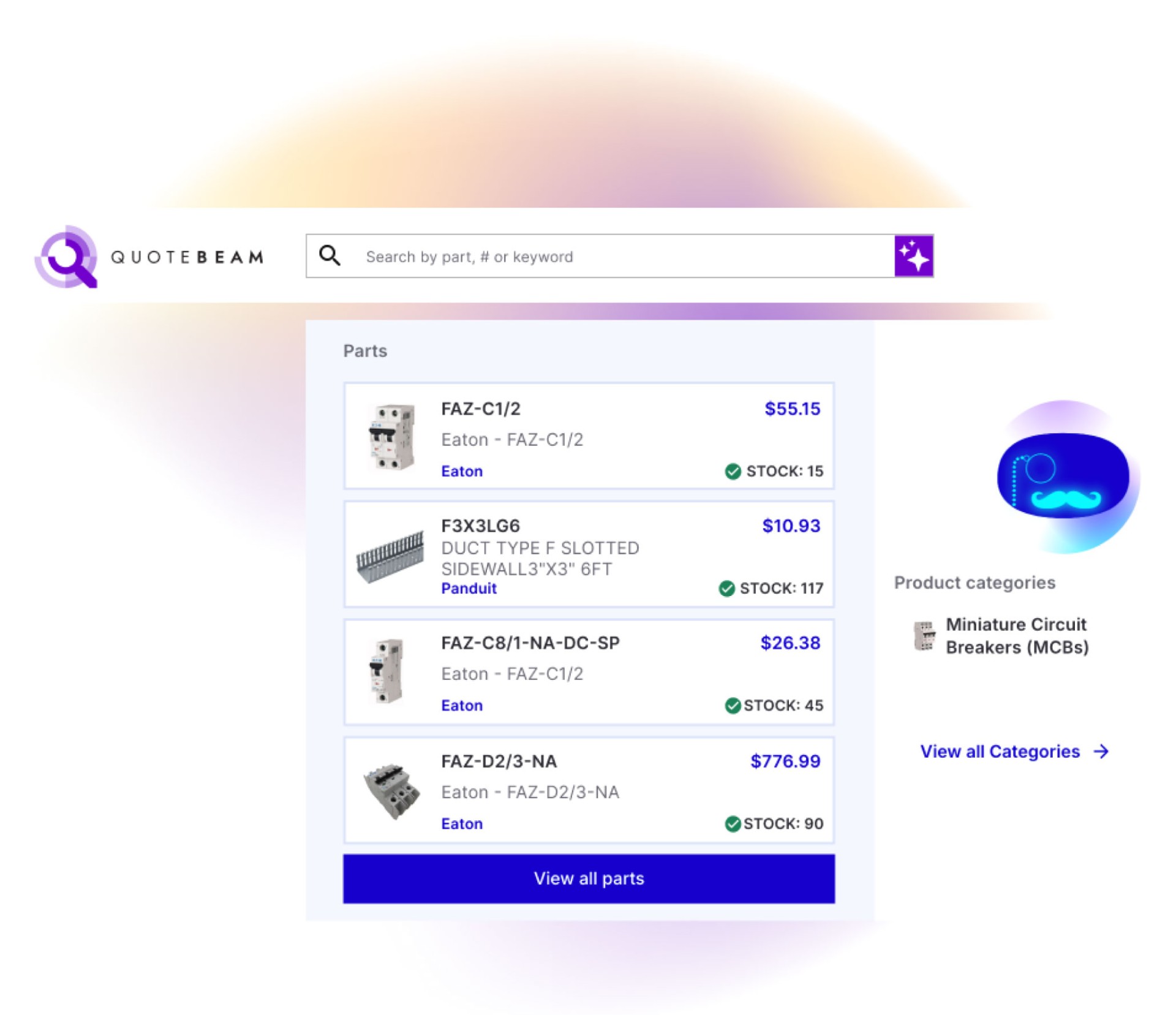
Client.
Quotebeam is a startup I had the pleasure of working with as a product designer for 2.5 years. Initially, the company functioned as a marketplace for automation parts, allowing local distributors in the U.S. to list their products while buyers worldwide could purchase them or request a quote. Over time, the company expanded into offering a SaaS product — an e-commerce store and website solution tailored to U.S.-based automation parts distributors looking to complement their traditional sales models with an online presence. This digital product eventually became Quotebeam's core offering.
My role.
Working with Quotebeam provided me with a full startup experience, where I, as a product designer, had a significant influence on the development of our software. My responsibilities ranged from engaging in discussions about customer needs and planned functionalities to shaping them into process flows and designing individual screens.
My primary role was twofold: ensuring an excellent experience for the end customers visiting the online store and creating tools that empowered sales agents to drive more sales. Additionally, due to my background in graphic design, I was responsible for the company's branding and the creation of our design system.
What is the Quotebeam Store Management Panel?
A key component of Quotebeam's SaaS solution became the distributor management panel, which enabled store administrators to configure and manage critical aspects of their e-commerce operations.
While end customers perceive an e-commerce site as a simple online store, the reality behind it is much more complex. For distributors, Quotebeam is a comprehensive platform that streamlines their sales processes. It encompasses standard e-commerce functionalities like managing quotes and orders, but also includes CRM capabilities, marketing automation, product data management, SEO, and multi-channel selling through platforms like Google Merchant.
The administrative panel became a unique selling point for the product, as it addressed the specific needs of the industrial parts distribution market — needs that standard solutions like Shopify did not fully meet. Many industry-specific functionalities were crucial for online parts distributors and had to be integrated into our solution.
The foundation of the store management panel was built upon Quotebeam's existing marketplace infrastructure. As the SaaS product vision took shape, we leveraged our previous software and adapted it to meet the evolving needs of distributors.
To develop these functionalities effectively, I followed a structured framework consisting of four key steps:
- 01Deep Understanding of the Functionality Being Built
- 02Structuring Features Within the Store Management Panel
- 03Designing Individual Screens and Elements
- 04Iterating Based on User Feedback and Business Strategy
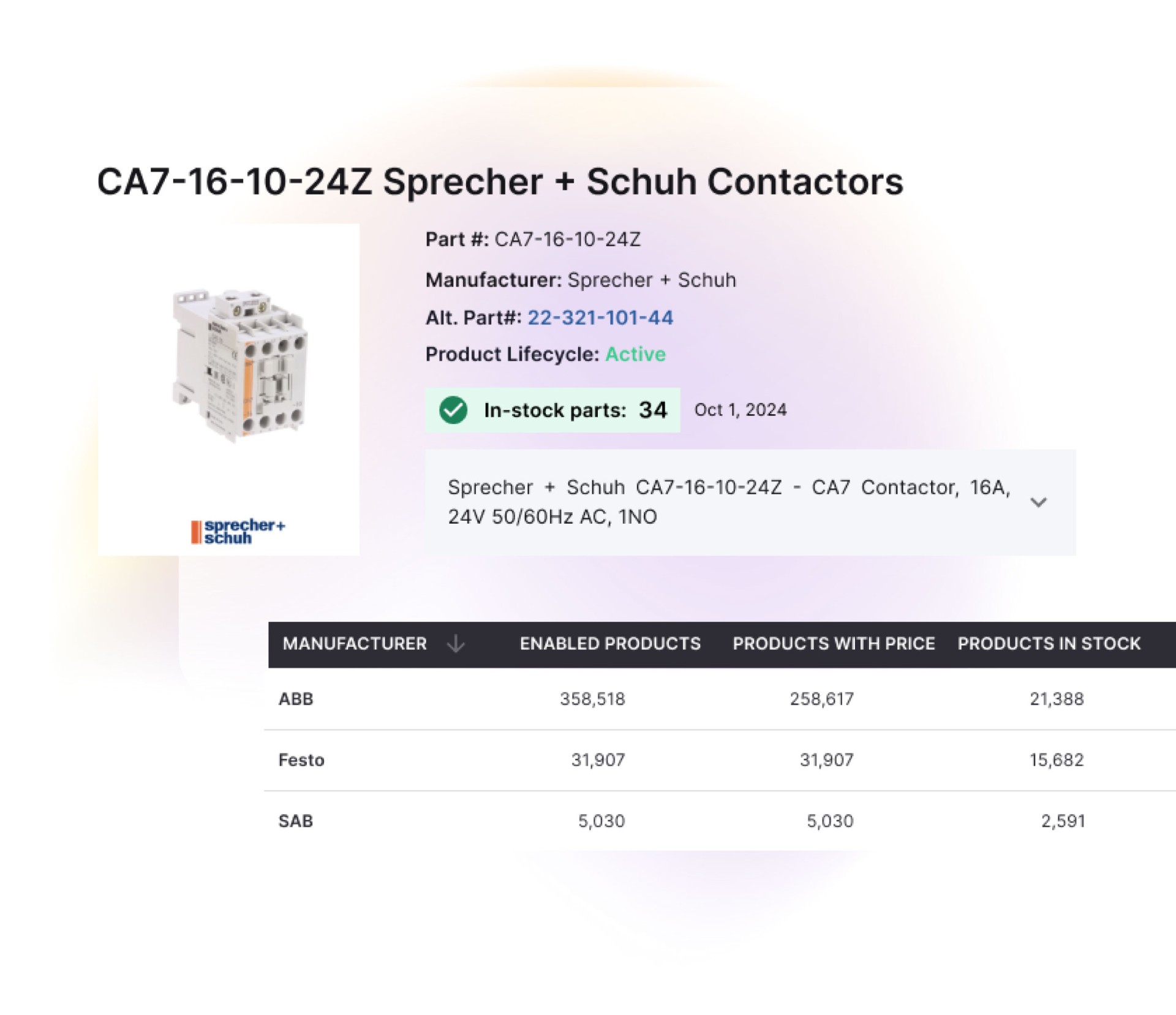
Step 1
Deep understanding of the functionality being built.
The key to success was understanding the unique mechanisms of this market. While this might sound like a standard approach, working for Quotebeam required a much deeper level of comprehension than in my previous projects. The industrial parts market operates on complex and often counterintuitive legal and contractual rules between manufacturers and distributors. These had to be reflected in how the store management system functioned.
Understanding these intricacies allowed me to make informed decisions about where I could prioritize UX best practices and where compromises were necessary to comply with legal and business constraints.
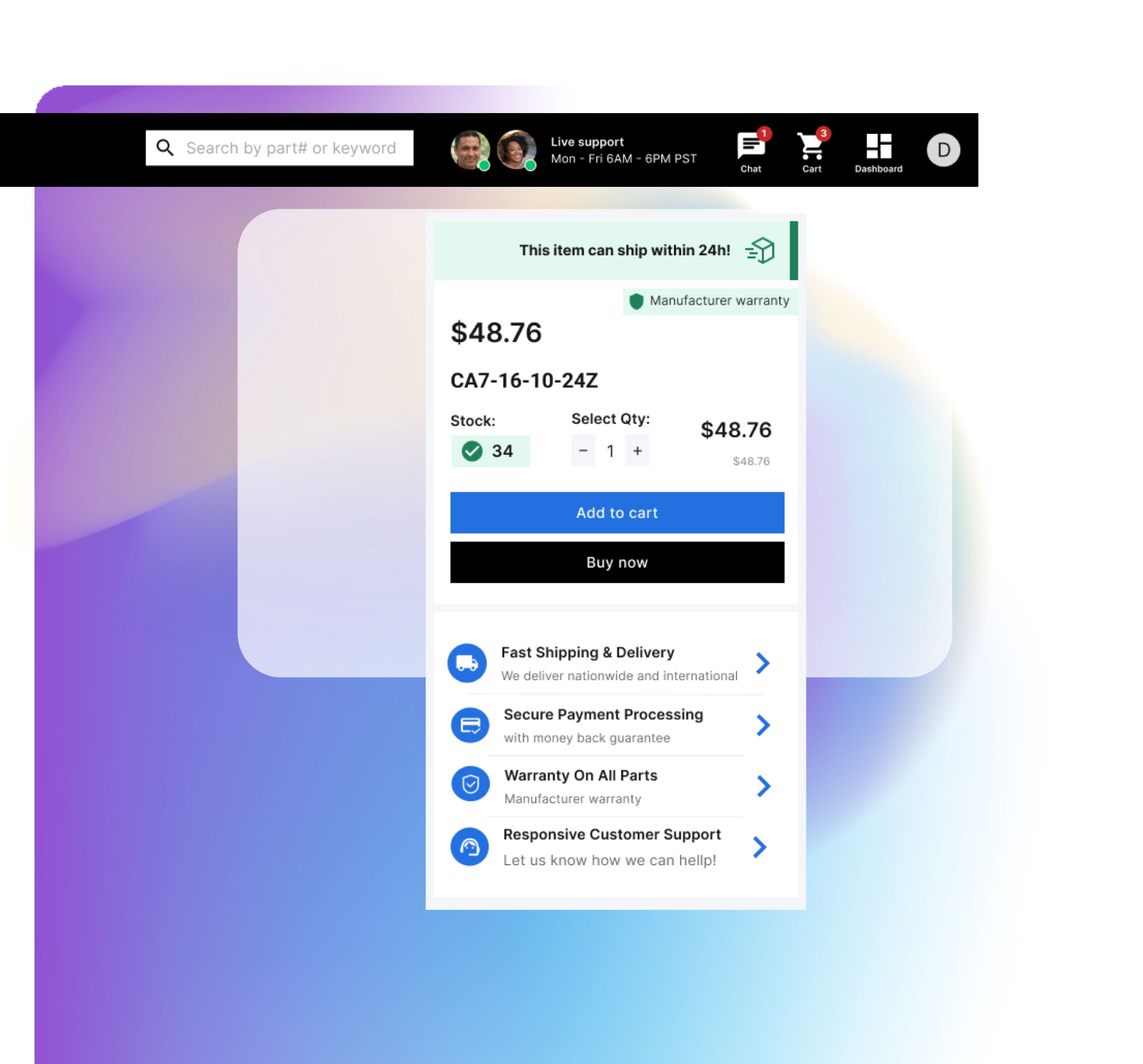
Step 2
Structuring features within the store management panel.
The next step was determining how to integrate specific features into the management panel. This was a major challenge because many functionalities were interconnected — pricing, sales territories, supported products, discounts, and profit margins. The question was: How do we structure all of this in a way that is intuitive and efficient for sales agents to navigate?
To achieve this, I mapped out user flows and use cases to determine which tasks were primarily relevant during store setup and which would be performed on a daily, weekly, or monthly basis. Identifying which features were standalone versus those that needed to be executed in a specific sequence was crucial.
The insights of our early adopters played a critical role in refining the system. Their feedback guided iterations and helped define emerging needs. Additionally, our CEO, an industry expert, provided valuable input that shaped key decisions.
By understanding how administrators worked — or ideally wanted to work — I was able to break down functionalities into manageable components that made sense individually while forming a cohesive ecosystem. This process informed granular decisions, such as structuring the menu to align with the natural workflow of store administrators.
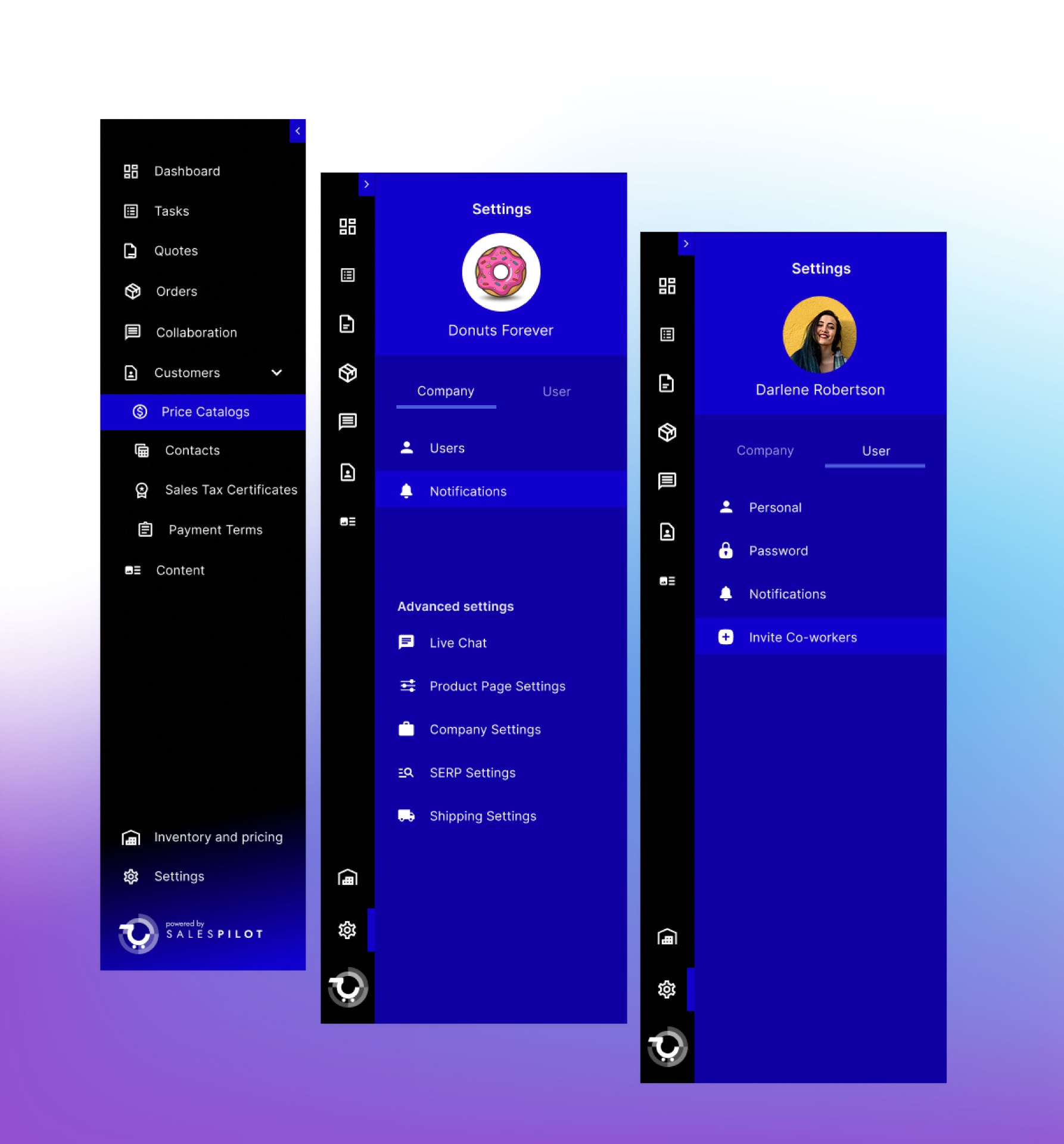
Step 3
Designing individual screens and elements.
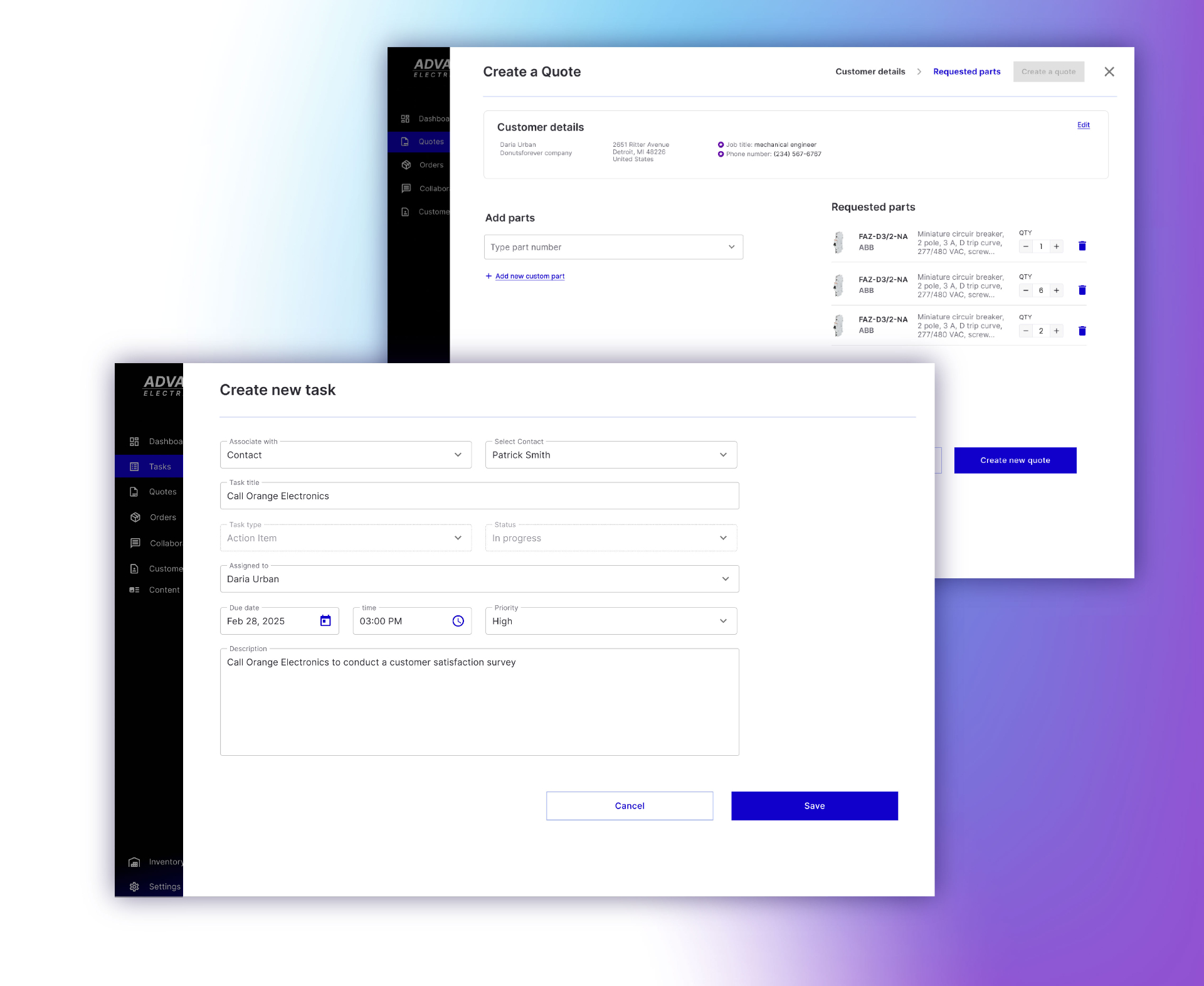
Once the high-level structure was defined, I could focus on designing specific screens and interface elements. This involved balancing UX best practices with the reality of building a design system on the fly.
We adopted a pre-made UI front-end library as the foundation for atomic components. However, higher-level patterns — such as the use of drawers, workflows for saving progress, and standardized methods for editing and managing data — needed to be defined and consistently implemented across the platform. Sticking to these patterns ensured a seamless user experience.
A key consideration was the unique needs of business users. Store administrators required a well-designed experience, but they also had established ways of working. For example, they often preferred data tables over visually appealing wizards when efficiency was the priority. A product designer must recognize when simplicity is the best solution.
Step 4
Iterating based on user feedback and business strategy.
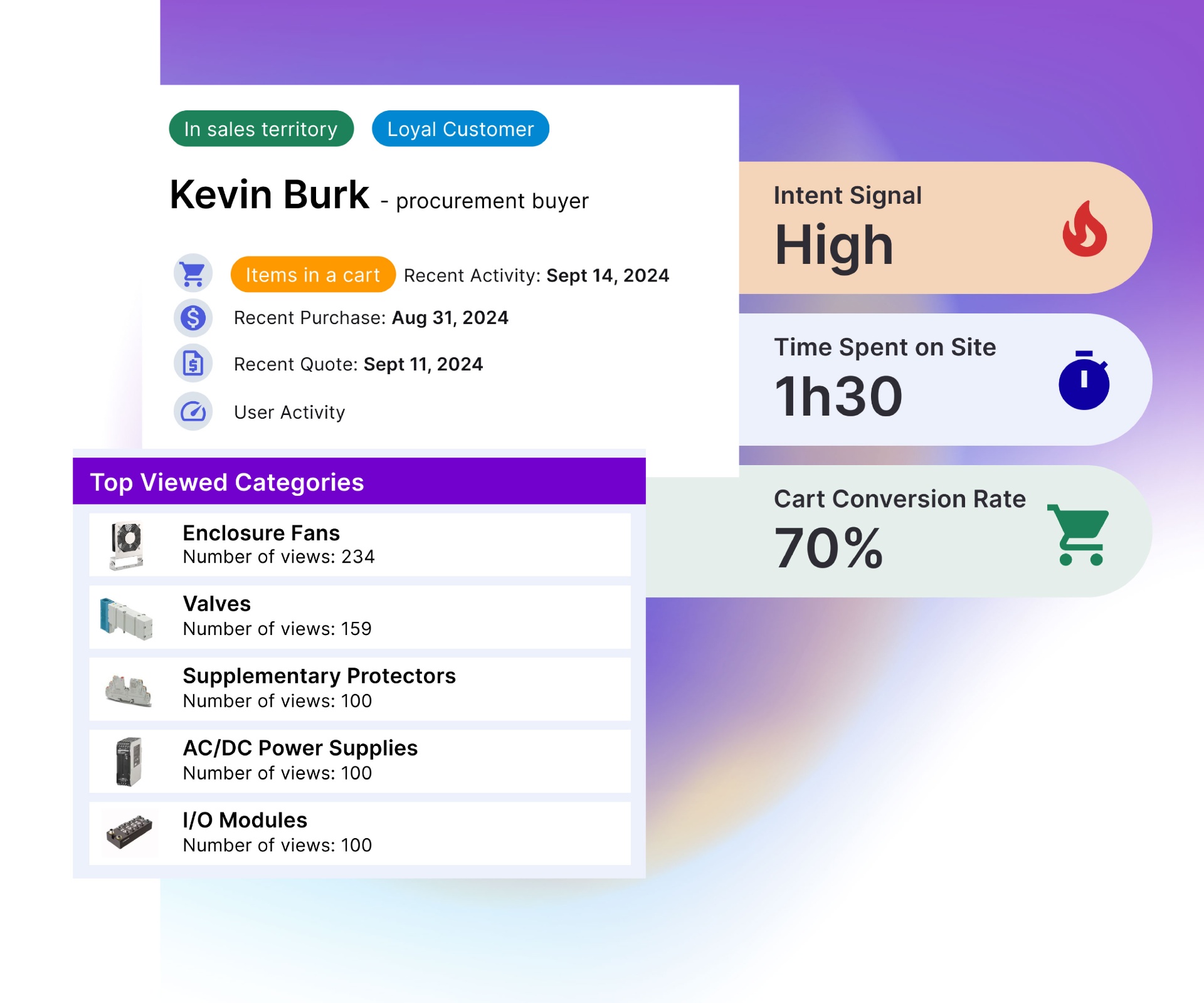
Of course, there were challenges along the way. For instance, some administrators requested new features that already existed but were difficult to find due to suboptimal UI placement.
Ensuring that features were structured in a logical and discoverable manner required constant iteration. Once I had a clear understanding of where each feature fit within the agent workflow, I could refine the UX accordingly.
Lessons learned.
Having the opportunity to design features from concept to completion was incredibly rewarding and helped me grow in many ways. Two key lessons I took away from this project were:
1
Balancing feature development with business priorities.
Navigating between early adopters' requests, business strategy, and legal constraints was a challenging yet essential aspect of product design. While the CEO ultimately made high-level decisions, I frequently had to make strategic choices at the feature level. This required combining user feedback, business vision, compliance requirements, and UX best practices — often leading to necessary compromises. Staying aligned with the long-term product vision was crucial to building a commercially viable application that also delivered an excellent user experience.
2
Designing with future scalability in mind.
To maximize efficiency, we often delivered MVP versions of features while planning for future expansions. This meant designing with scalability in mind from the outset, ensuring that enhancements could be implemented seamlessly rather than requiring extensive rework.
This approach also applied to our design system. Decisions about editing workflows, table interactions (e.g., filtering and sorting), and saving mechanisms needed to be consistent across the platform. This foresight ensured a cohesive user experience as the product evolved.
This case study illustrates my structured approach to product design at Quotebeam, showcasing my ability to develop complex functionalities in a scalable and user-friendly manner. The lessons learned continue to shape my work, reinforcing the importance of strategic decision-making and future-proofing designs.
Next case study
Quotebeam